 AI FactScan
Verify Sources in AI Answers
AI Source Checker for ChatGPT, Claude, Gemini, and More
"AI can make mistakes," but how wrong could it be?
AI FactScan helps you spot hallucinated citations and unreliable sources.
Every citation, graded. Instantly.
Browser extension for ChatGPT · Claude · Gemini · Copilot · Grok · Perplexity · DeepSeek
Expert sources or random blogs?
We grade the sources so you don't have to guess.
Even if you open every link — can you actually judge the source?
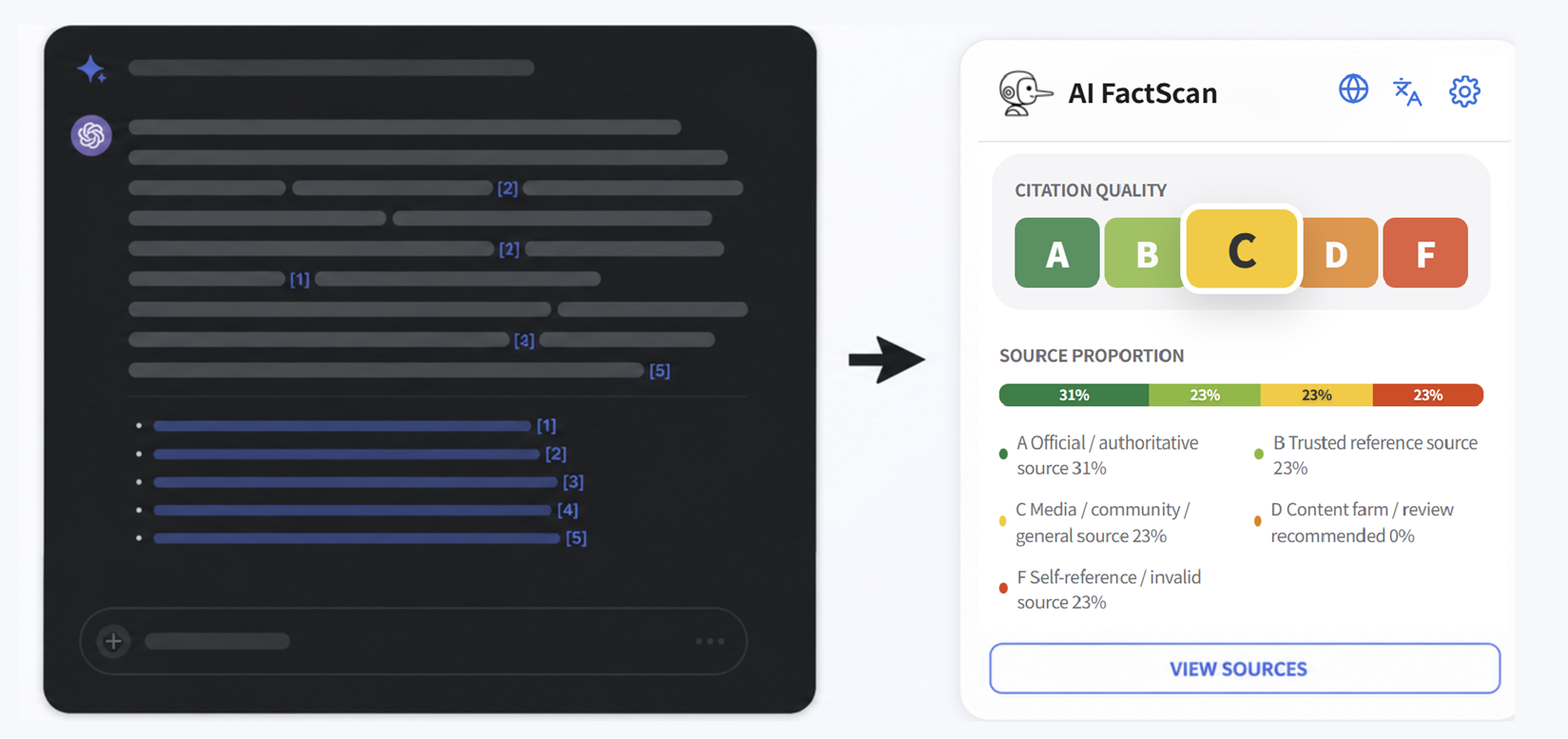
We give each citation an A–F grade in seconds.
You decide what to trust.
Built from recognized source signals.
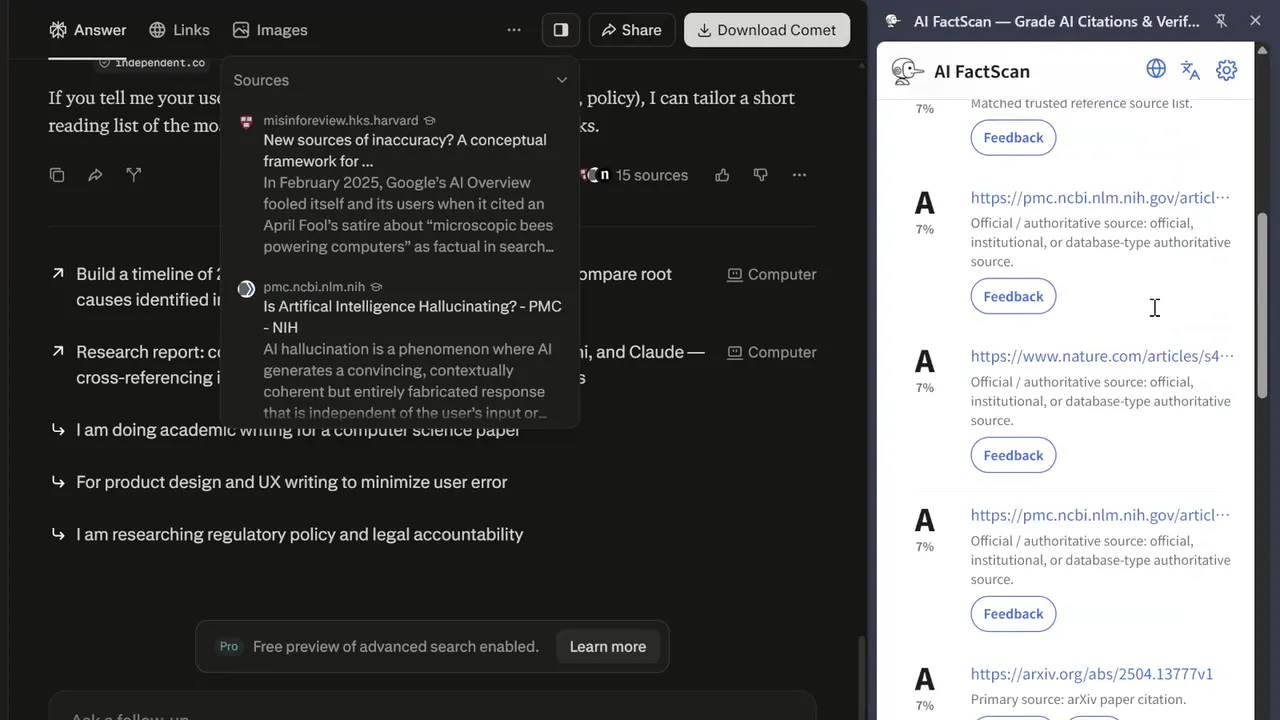
AI FactScan gives you a fast first pass on the evidence behind an AI answer. It checks citation validity, grades source quality A–F, and shows you which references deserve closer review.
AI hallucination rate
AI hallucination rate references Vectara Hallucination Leaderboard metrics for model-level context across systems such as ChatGPT, Gemini, Claude, and DeepSeek.
Authority and reference signals
Public source signals include attributed SCImago rankings, Crossref, OpenAlex, DOAJ, WHO, OECD, BIS, and official government or institutional directories.
Negative and review signals
CRED-1 negative signals, content-farm lists, invalid resolver checks, and AI self-reference detection.
Support AI FactScan.
Free for everyone. Support keeps the source database current and the tool alive.
- Unlimited citation scans
- Cloud source signals on every scan
- Citation verification (DOI / arXiv / PubMed)
- Source concentration analysis
- Full HTML report export
- Priority access to database updates
- Use with up to four browser installations
Free plan includes 5 citation scans per day — no account required.
Become a Supporter
Private by design.
Citation checks run locally on your device. Only domain names are sent to FactScan servers for Supporter lookups — never your full URLs, page content, or AI responses.
Common questions
Start with citations carrying lower grades or warning signals. Open those sources first, compare the evidence with the AI answer, and ask your LLM to replace anything weak or unsupported.
Tip: Ask your LLM to cite properly. Paste this into your LLM instructions:
1. Always provide original source URLs for all factual claims.
2. If a source is unavailable, say so clearly. Do not fabricate.
3. Present every citation as a URL, DOI, arXiv ID, or PubMed ID.
AI FactScan handles the first pass by checking whether cited sources exist, grading their quality, and surfacing references that need attention. You can then read the evidence and challenge claims that lack reliable support.
AI has three citation problems: hallucination (links to articles or domains that don't exist), self-citation (Google citing Google products, OpenAI citing the OpenAI blog), and empty links (href="" that redirects to the AI platform's homepage — looks like a citation, leads nowhere). AI FactScan detects all three.
A — Official / authoritative source (peer-reviewed journals, government agencies, major international media)
B — Trusted reference source (media and institutions with editorial standards)
C — Media / community / general source — worth verifying before citing
D — Content farm / review recommended — proceed with caution
F — Self-reference / invalid source (AI self-citation or empty links)
GPTZero detects whether text was written by AI. AI FactScan audits the credibility of the sources AI gives you. Two different problems.
ChatGPT, Gemini, Claude, Perplexity, Grok, DeepSeek, and Microsoft Copilot.
Each Supporter license can be used with up to four browser installations. Chrome, Edge, and separate browser profiles are counted individually.